

Why Reliable Computer Support Improves Business Efficiency
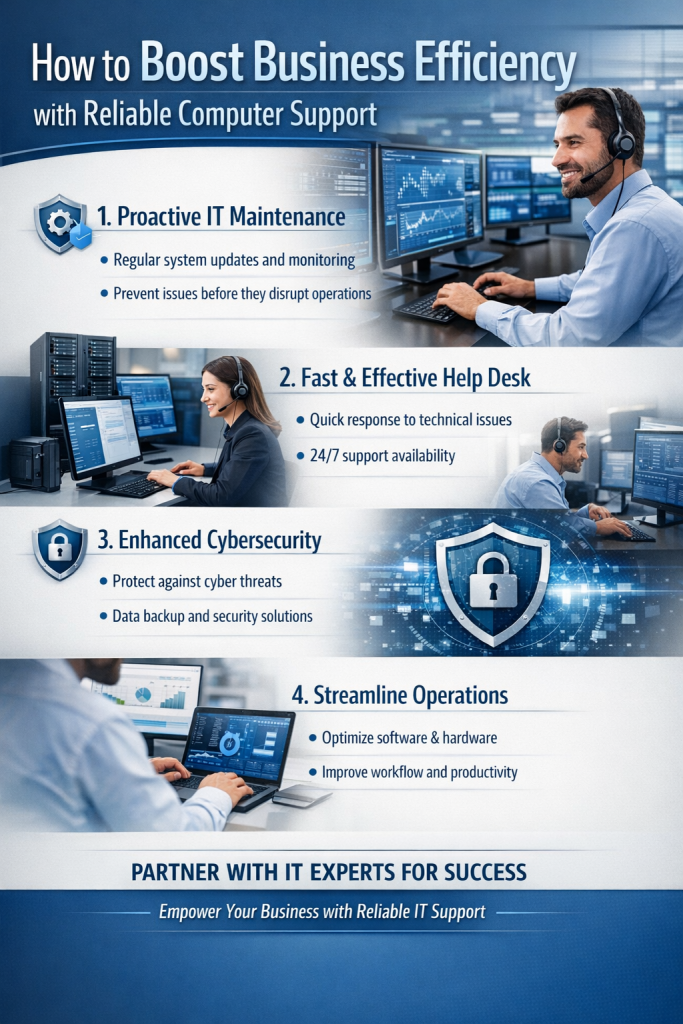
Investing in reliable computer support reduces downtime, improves employee productivity, and protects revenue. Businesses that rely on reactive IT often experience recurring disruptions, while reliable computer support ensures systems are monitored, maintained, and optimized proactively.
Reliable computer support is the backbone of a productive business. When systems fail or users get stuck, every minute of downtime chips away at revenue and morale. This comparison explores three practical approaches to keep your operation running smoothly: a structured Managed Service Provider (MSP) plan with same-day and on-site options, an in-house IT team, and a break/fix model. Understanding how they differ in features, pricing, ease of use, and performance will help you shape an IT support strategy that minimizes downtime and boosts efficiency.
Learn more about our managed IT services for small businesses.
What We’re Comparing
Most small and mid-sized organizations choose among three broad options for computer support. A structured MSP plan bundles proactive monitoring, help desk, security maintenance, and guaranteed response times; many MSPs also offer same-day dispatch and scheduled on-site visits for hardware or complex issues. An in-house IT team provides dedicated staff who know your environment deeply and can respond immediately on premises. Break/fix support is ad hoc: you call a technician when something breaks and pay by the hour without ongoing maintenance.
Quick Overview
Feature comparison
Structured MSP plans typically include 24/7 monitoring, patch management, endpoint protection, backup oversight, and a ticketing portal with defined SLAs. Many offer same-day on-site for priority incidents and scheduled on-site days for preventive tasks (imaging PCs, network checks, cabling). In-house teams can tailor processes, tools, and policies, often integrating tightly with HR, finance, and operations. Break/fix focuses on reactive incident handling with minimal or no proactive services; on-site visits depend on technician availability rather than a service schedule.
Pricing comparison
Typical US SMB ballparks (2025): MSP per-user pricing ranges $75–$200/month depending on coverage (help desk only vs. full stack with security, compliance, and on-site). Same-day on-site dispatch can add $100–$300 per incident or be baked into higher-tier plans. In-house IT costs hinge on salaries: a single full-time IT generalist typically costs $70k–$110k/year plus 20%–30% for benefits, tools, and training; larger teams scale linearly. Break/fix rates run $125–$200/hour on-site, often with a 1–2 hour minimum, and no ongoing fees—but no preventative care, which can increase total cost of ownership over time.
Ease of use
MSPs offer a single pane of glass: a portal or app for ticketing, live chat, and status tracking. On-site days can be pre-booked in a shared calendar, reducing scheduling friction. In-house teams are the most familiar and accessible but can be stretched thin during spikes. Break/fix is simple to initiate (just call), yet coordination for urgent visits can be time-consuming and unpredictable.
Performance
Well-run MSPs publish SLAs like: first response in 15–60 minutes for P1 incidents, same-business-day resolution for common user issues, and 4–8 business hour on-site dispatch for hardware failures. Many state metrics (e.g., 85–95% of tickets resolved within one business day). In-house teams can outperform for on-prem issues if headcount matches demand, achieving sub-15-minute desk-side responses, but coverage gaps may appear after hours. Break/fix response time depends on contractor load; urgent same-day visits are possible but not guaranteed, and mean time to resolution (MTTR) varies widely.
Best use cases for each
Structured MSP plan: best when you want predictable costs, measurable SLAs, and proactive maintenance with guaranteed same-day and scheduled on-site capacity. In-house IT: best when workflows are complex, proprietary systems require deep institutional knowledge, or executive support needs immediate white-glove service. Break/fix: best for very small or seasonal operations with low criticality and minimal compliance needs.
How to Build a Structured IT Support Plan
Start with an asset inventory: catalog endpoints, servers, network gear, cloud apps, and critical business processes. Define SLAs by priority: for example, P1 (revenue-impacting) response in 15 minutes, P2 in 1 hour, P3 next business day. Establish runbooks for common workflows (new hire setup in 90 minutes; device imaging in 30 minutes; printer triage checklist). Implement a ticketing system integrated with chat and email so issues never slip through.
Set an escalation matrix connecting remote triage to on-site support. Example: if remote remediation fails in 30 minutes for a P1 outage, auto-dispatch same-day on-site. Reserve scheduled on-site windows—say, every Tuesday 9–11 a.m.—for proactive tasks: firmware updates, cable labeling, Wi-Fi heatmap spot checks, and warranty swaps. Track metrics: first response time, MTTR, backlog age, and percentage of issues resolved remotely vs. on-site. Publish a monthly scorecard to stakeholders.
Scheduling Same-Day Visits Without Chaos
Adopt appointment blocks: morning (8–11), mid-day (11–2), afternoon (2–5). Use geo-routing for multi-site businesses to reduce travel time. Pre-triage with a 10-minute remote diagnostic to confirm the need for on-site support and prepare parts. Maintain a field kit: common laptop chargers, spare keyboards/mice, Ethernet cables, USB adapters, SSDs, and a loaner device. For critical devices (front desk, point-of-sale), keep hot spares on site to swap in under 10 minutes, deferring deeper repair to off-hours.
Create a same-day playbook: define which incident types trigger dispatch (e.g., network down, POS failure, executive workstation outage) and which require manager approval. Communicate clearly with end users: send an ETA, technician name, and pre-visit checklist (save work, ensure desk access). After the visit, close the loop with photos or notes and document permanent fixes to reduce repeat incidents.
When On-Site Assistance Matters
Not everything can be solved remotely. Hardware failures (power supplies, fans, batteries), physical connectivity issues (patch panels, failing cables), and intermittent Wi-Fi dead zones often require hands-on work. Highly visible equipment—conference room AV, reception kiosks, label printers—benefits from on-site testing and user coaching. Security-sensitive changes (access control system updates, camera network segmentation) are safer with supervised on-site execution and validation.
Comparison Summary
MSP with structured plan: predictable monthly cost, strong SLAs, proactive care, and reliable same-day/on-site coverage. Ideal for growing teams that want stability and measurable service quality without building a full IT department.
In-house IT: unmatched context and immediate presence when staffed appropriately, with the flexibility to tailor tools and policies. Requires higher fixed costs and management overhead; best for complex environments or tight executive support needs.
Break/fix: minimal ongoing expense and straightforward to engage, but reactive by design, which can increase downtime and risk. Suits microbusinesses or low-dependency operations where delays are acceptable.
Helping You Decide
Map support strategy to business impact. If a single hour of downtime costs more than a month of proactive coverage, a structured MSP plan with guaranteed same-day and scheduled on-site visits is likely the most efficient path. If your workflows are unique, security/compliance demands are high, and you can fund headcount, an in-house team provides maximum control and immediacy. If IT interruptions are rare and noncritical, break/fix may suffice.
Ask yourself: How much does an hour of downtime cost us? Do we need same-day on-site for specific roles or locations? Can we standardize devices and processes to enable faster remote resolution? The clearer your answers, the easier it is to choose a model—or blend them (e.g., an MSP for core coverage plus a small in-house presence for specialized systems) that keeps your people productive and your business moving.