

Implementing effective backup solutions protects against catastrophic data loss from hardware failures, ransomware attacks, accidental deletion, and natural disasters. This comprehensive guide explores modern backup strategies, ensuring your critical data remains safe and recoverable.
Why Backup Solutions Are Essential
Data loss devastates individuals and businesses alike. The average cost of data loss for small businesses exceeds $100,000 when accounting for recovery attempts, lost productivity, and business disruption. Proper data backup solutions prevent these catastrophic scenarios.
Modern threats include ransomware encrypting files and demanding payment, hard drive failures destroying years of data, accidental deletions removing important documents, and natural disasters damaging physical equipment. Comprehensive data backup solutions address all these risks.
The 3-2-1 Backup Rule
Professional data backup solutions follow the 3-2-1 rule: maintain three copies of your data, store them on two different media types, and keep one copy offsite. This proven strategy ensures data survives virtually any disaster scenario.
Three Complete Copies
Your primary working data plus two backups provide redundancy against multiple failure points. If one backup fails or becomes corrupted, another backup remains available. Data backup solutions should maintain multiple generations of backups for comprehensive protection.
Two Different Media Types
Storing backups on different storage types (internal drives, external drives, cloud storage, network-attached storage) prevents a single failure mode from destroying all copies. Effective backup solutions diversify storage technologies.
One Offsite Backup
Physical disasters like fires, floods, or theft can destroy all on-premises data. Cloud-based backup solutions or physically separated backup locations ensure data survives local catastrophes.
Types of Backup Solutions
Local Backup Solutions
Local backups store data on physical devices you control, offering fast restoration and no recurring costs after initial hardware purchase.
External Hard Drives
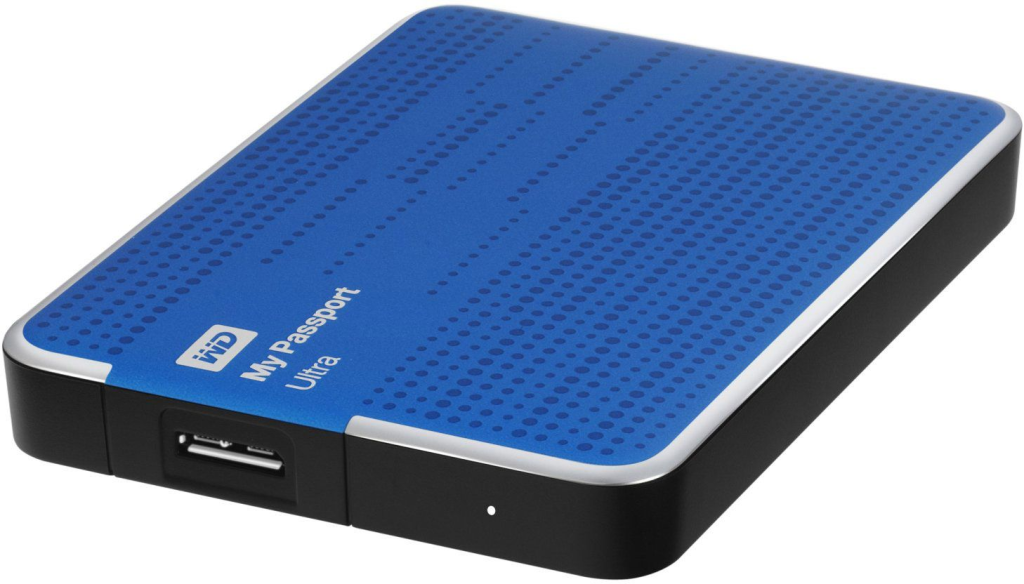
External drives provide affordable, straightforward backup solutions. Modern external drives offer multi-terabyte capacity at reasonable prices. However, they require manual backup discipline or automated backup software to remain effective.
Connect external drives regularly (ideally keeping them connected), use backup software to automate the process, and store drives securely when not in use. External drives should supplement rather than replace comprehensive data backup solutions.
Network Attached Storage (NAS)
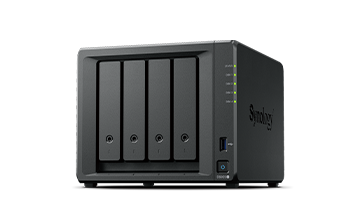
NAS devices provide centralized backup storage accessible by multiple computers. Advanced NAS systems offer automated backups, RAID redundancy, and even cloud synchronization. For families or small businesses, NAS-based backup solutions deliver excellent value and convenience.
Quality NAS devices include brands like Synology, QNAP, and Western Digital. They support automated backup scheduling, version history, and multiple simultaneous backups from different computers.
Cloud Backup Solutions
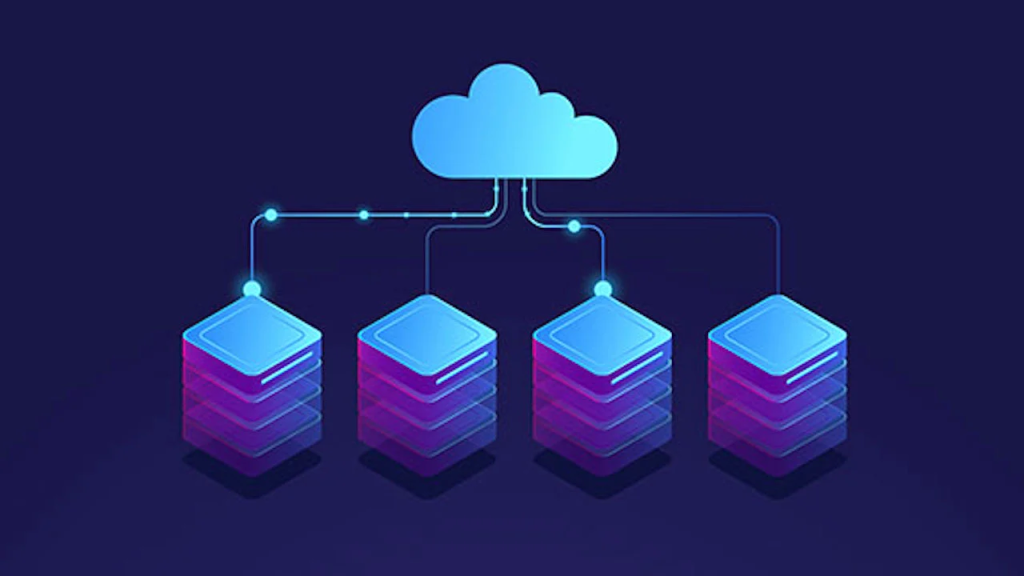
Cloud-based backup solutions store your data on remote servers managed by third-party providers. These services offer convenience, automatic backups, and inherent off-site protection.
Consumer Cloud Backup Services
Services like Backblaze, Carbonite, and IDrive provide unlimited or high-capacity cloud backup solutions for individuals. They continuously back up changed files, operate transparently in the background, and enable recovery from anywhere with internet access.
Monthly costs typically range from $7-15 for unlimited backup of a single computer, making cloud data backup solutions affordable for most users. Restoration can occur via download or, for large datasets, physical drive shipping.
Business Cloud Backup Solutions
Enterprise-focused cloud data backup solutions offer additional features like centralized management, priority support, compliance certifications, and service level agreements. Providers include Acronis, Veeam Cloud Connect, and Datto.
Business data backup solutions support multiple computers, servers, and mobile devices from centralized consoles. They provide granular recovery options, allowing restoration of individual files, entire systems, or specific application data.
Hybrid Backup Solutions
Combining local and cloud backups creates robust hybrid data backup solutions capturing both approaches' advantages. Local backups enable fast recovery for common scenarios, while cloud backups protect against catastrophic local failures.
Many modern data backup solutions offer hybrid functionality built in. For example, Acronis True Image and Macrium Reflect support both local and cloud backup destinations from a single interface.
Backup Methods and Strategies
Full Backups
Full backups copy every selected file regardless of previous backup status. While time-consuming and storage-intensive, full data backup solutions provide complete system snapshots, enabling straightforward restoration.
Schedule full backups weekly or monthly, depending on data change frequency and available storage capacity. Full backups simplify recovery but require significant storage space for multiple versions.
Incremental Backups
Incremental backups only copy files changed since the last backup of any type. This approach minimizes backup time and storage requirements, making incremental data backup solutions ideal for frequent automated backups.
Restoration from incremental backups requires the last full backup plus all subsequent incremental backups. This dependency means backup integrity is critical—corrupted incremental backups can break the recovery chain.
Differential Backups
Differential backups copy all files changed since the last full backup. They require more storage than incremental backups but simplify restoration by needing only the last full backup and the most recent differential backup.
Data backup solutions using differential strategies balance storage efficiency with restoration simplicity, making them popular for business environments.
Continuous Data Protection
Continuous data protection (CDP) monitors file changes and backs them up immediately or at very short intervals. This approach minimizes potential data loss by maintaining nearly real-time backup copies.
Advanced data backup solutions with CDP functionality provide extremely low Recovery Point Objectives (RPO), meaning minimal data loss even if disasters occur between scheduled backups.
What to Include in Your Backup Strategy
Critical Document Protection
Personal and business documents represent irreplaceable data requiring comprehensive backup protection. Include tax records, contracts, financial documents, creative work, family photos, and videos in your data backup solutions.
Organize important files in clearly defined folders, making backup configuration straightforward. Many data backup solutions allow folder-based selection, ensuring critical data receives protection without backing up unnecessary files.
System Image Backups
Complete system images capture your entire computer, including the operating system, applications, and settings. These comprehensive data backup solutions enable full system restoration to new hardware after catastrophic failures.
System images simplify disaster recovery by eliminating application reinstallation and reconfiguration. Windows Backup, Macrium Reflect, and Acronis True Image all support system image creation.
Email and Communication Data
Email archives contain valuable communications, agreements, and historical records. Cloud-based email services like Gmail and Outlook.com automatically backup messages, but local email clients require dedicated data backup solutions.
Consider using tools like MailStore or built-in export features to backup local email data regularly.
Application Data and Settings
Many applications store valuable data in specific locations outside standard document folders. Database files, browser bookmarks, password manager vaults, and application preferences all warrant inclusion in comprehensive data backup solutions.
Research where important applications store data and configure backups to include these locations.
Backup Software Recommendations
Windows Backup Solutions
Windows 11 includes File History for continuous file backup and System Image creation for complete system backups. While basic, these built-in data backup solutions provide acceptable protection for casual users.
For more robust features, consider third-party Windows data backup solutions like Macrium Reflect Free, EaseUS Todo Backup, or AOMEI Backupper offering incremental backups, compression, and flexible scheduling.
Mac Data Backup Solutions
Time Machine provides excellent built-in backup functionality for macOS. This integrated data backup solution offers hourly backups, simple restoration, and seamless external drive integration.
Supplement Time Machine with cloud data backup solutions like Backblaze or Carbon Copy Cloner for bootable backup drives enabling emergency system recovery.
Cross-Platform Backup Solutions
Acronis True Image, Duplicati, and CloudBerry Backup support both Windows and Mac, providing consistent backup experiences across platforms. These versatile data backup solutions suit multi-platform environments.
Testing Your Backup Solutions
Creating backups without verifying recoverability provides false security. Regular backup testing confirms your data backup solutions actually work when needed.
Restoration Testing
Periodically restore random files from backups to verify integrity. Schedule quarterly or semi-annual full restoration tests to complete test systems, ensuring entire backup sets remain viable.
Failed restoration tests reveal problems with backup configurations, corrupted backup files, or storage media failures before actual emergencies occur.
Backup Verification
Many data backup solutions include verification features checking backup integrity after creation. Enable these verification options despite the time they add to backup processes.
Verification compares backed-up files with source files, ensuring accurate copying and detecting storage media problems early.
Disaster Recovery Planning
Comprehensive disaster recovery planning extends beyond data backup solutions to include documented recovery procedures, emergency contact information, and business continuity strategies.
Recovery Time Objectives
Recovery Time Objective (RTO) defines acceptable downtime after disasters. Business-critical systems may require RTOs measured in hours, while less critical data can tolerate longer recovery periods.
Choose data backup solutions supporting your RTO requirements. Cloud backups may require days for large dataset restoration, while local backups enable much faster recovery.
Recovery Point Objectives
Recovery Point Objective (RPO) defines acceptable data loss measured in time. For example, a four-hour RPO means you can tolerate losing up to four hours of work.
Configure backup frequency in your data backup solutions to meet RPO requirements. More critical data demands more frequent backups.
Data Backup Solutions for Different User Types
Individual and Home Users
Home users need straightforward data backup solutions protecting family photos, personal documents, and financial records. External drive backups combined with cloud backup services provide excellent protection without complexity.
Budget-conscious users can start with free cloud storage from services like Google Drive, OneDrive, or Dropbox, supplemented with inexpensive external drives for local backups.
Small Business Data Backup
Small businesses require reliable data backup solutions with centralized management, minimal maintenance overhead, and proven recovery capabilities. NAS-based local backups combined with cloud backup services deliver comprehensive protection.
Consider managed backup services where IT providers monitor backups, verify integrity, and handle recovery, freeing business owners from technical backup management.
Enterprise Data Backup Solutions
Large organizations need scalable data backup solutions supporting hundreds or thousands of computers, servers, and mobile devices. Enterprise platforms like Veeam, Commvault, and Veritas provide centralized management, compliance reporting, and integration with existing IT infrastructure.
Ransomware-Resistant Backup Strategies
Ransomware increasingly targets backup files, attempting to encrypt backups along with production data. Ransomware-resistant data backup solutions employ strategies defeating these attacks.
Immutable Backups
Immutable backups cannot be modified or deleted for specified retention periods. Even if ransomware compromises administrative credentials, immutable backups remain protected and available for recovery.
Cloud data backup solutions increasingly offer immutability features. Ensure your backup service provides this critical protection.
Air-Gapped Backups
Air-gapped backups remain completely disconnected from networks and computers between backup operations. External drives stored offline provide effective air gaps.
Rotate multiple external drives, keeping one offline while using another for current backups. This rotation creates air-gapped data backup solutions resistant to ransomware.
Version History
Ransomware may encrypt files before detection. Version history in data backup solutions allows restoration to points before infection occurred, recovering clean file versions.
Maintain sufficient backup versions (at least 30 days) to ensure clean file recovery even if ransomware operated undetected for weeks.
Mobile Device Backup
Smartphones and tablets contain valuable photos, contacts, messages, and documents requiring backup protection. Mobile data backup solutions often integrate with existing cloud services.
iOS Device Backup
iCloud automatically backs up iOS devices when connected to Wi-Fi and charging. Alternatively, iTunes or Finder can create encrypted local backups to computers.
Ensure adequate iCloud storage (free tier provides only 5GB) or use local backup methods for comprehensive iOS data backup solutions.
Android Device Backup
Google automatically backs up Android app data, call history, contacts, and device settings. Photos backup through Google Photos, while documents can sync via Google Drive.
Supplement automatic backups with occasional local backups using manufacturer tools or third-party Android data backup solutions.
Professional Backup Management Services
Many users lack time or expertise for proper backup management. Professional managed data backup solutions provide expert-configured, monitored, and maintained backup systems ensuring reliable data protection.
Managed service providers handle backup software installation and configuration, backup monitoring and verification, storage capacity management, and recovery assistance when needed. For businesses especially, managed data backup solutions provide peace of mind and guaranteed reliability.
Choosing the Right Data Backup Solution
Selecting appropriate data backup solutions requires assessing your specific needs, budget, and technical comfort level. Consider these factors when evaluating options.
Data Volume
Large data volumes require high-capacity storage and may make cloud-only solutions impractical due to upload time and costs. Hybrid data backup solutions often work best for terabyte-scale datasets.
Budget Constraints
Data backup solutions range from free built-in options to enterprise systems costing thousands annually. Balance cost against data value and business impact of data loss.
Technical Expertise
Some data backup solutions require significant technical knowledge for proper configuration and management. Assess your technical capabilities honestly and choose solutions matching your expertise or budget for professional assistance.
Recovery Requirements
Consider how quickly you need data recovery and how much data loss is acceptable. These requirements significantly influence appropriate data backup solutions.
Get Expert Help With Data Backup Solutions
Implementing effective data backup solutions protects against devastating data loss, but proper configuration and testing require expertise. At Blackhawk Computers, we help individuals and businesses design, implement, and maintain comprehensive backup strategies tailored to specific needs and budgets.
Our experienced team can assess your data protection requirements, recommend appropriate data backup solutions, configure automated backup systems, and provide ongoing monitoring ensuring your backups work when you need them most.
Don't wait for disaster to strike—contact Blackhawk Computers today to discuss professional data backup solutions protecting your valuable data.
Last updated: January 2026